Many people think building a website means "open Wix, drag stuff around, done in a day." In reality, building a company-grade website that actually works has 10 steps you have to go through — each matters and affects the final quality.
This article walks through each step in plain language, with realistic timelines.
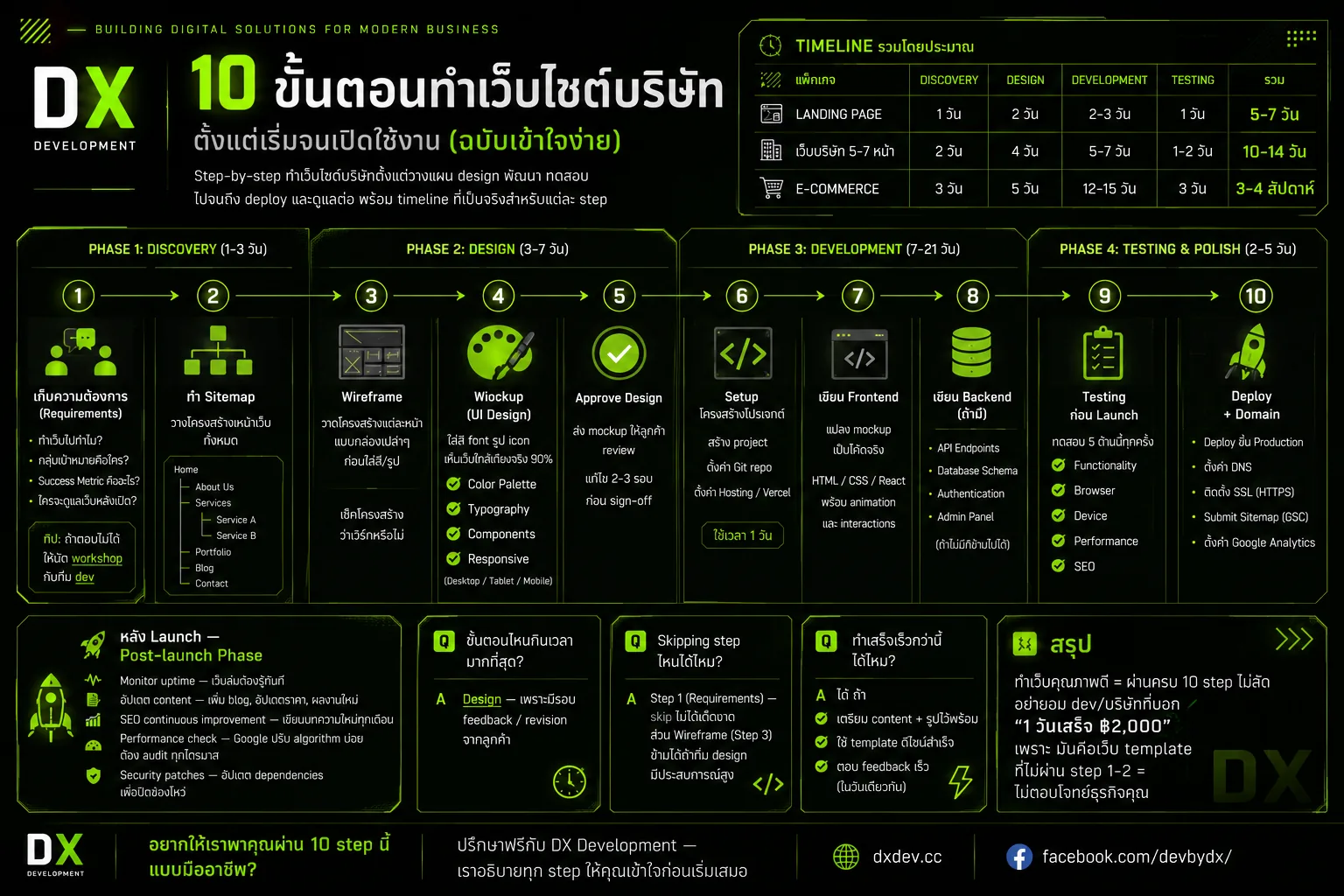
Phase 1: Discovery (1–3 days)
Step 1: Gather Requirements
Talk to all stakeholders and answer:
- Why this website? — More leads, sell products, show portfolio
- Who's the visitor? — Age, profession, digital literacy
- What's the success metric? — LINE messages, signups, purchases
- Who maintains the site post-launch? — Internal admin or hired dev
Tip: If you can't answer these, schedule a workshop with the dev team — usually a 2-hour workshop is enough.
Step 2: Build the Sitemap
Break the site into a structure, e.g.:
Home
├── About Us
├── Services
│   ├── Service A
│   └── Service B
├── Portfolio
├── Blog
└── Contact
This is the blueprint of the whole site. Changing it now is "free"; changing it after code is written is expensive.
Phase 2: Design (3–7 days)
Step 3: Wireframe
Sketch each page as plain "boxes" before colors/images, to verify the structure works. Figma, FigJam, or paper all work.
Step 4: Mockup (UI Design)
Add colors, fonts, images, icons — see the site at 90% of how it'll look.
To finalize in this step:
- Color palette (primary, secondary, accent)
- Typography (heading vs body fonts)
- Components (button, card, form, nav)
- Responsive (mockups for desktop, tablet, mobile)
Why mockup before coding? — Changing Figma takes 5 minutes; changing code can take half a day.
Step 5: Approve Design
Send mockup to client — usually 2–3 review rounds before sign-off.
Phase 3: Development (7–21 days)
Step 6: Project Setup
Dev creates the project in Next.js / chosen framework, sets up Git repo, configures Vercel / hosting — about 1 day.
Step 7: Frontend
Translate mockups into actual code — HTML/CSS/React components with animations and interactions. This is usually 60% of Phase 3.
Step 8: Backend (if needed)
- API endpoints
- Database schema
- Authentication
- Admin panel
If it's a landing page only, no backend needed — just a Contact Form to email.
Phase 4: Testing & Polish (2–5 days)
Step 9: Pre-launch Testing
Test 5 areas every time:
| Area | Check |
|---|---|
| Functionality | Forms submit? All links work? |
| Browsers | Chrome / Safari / Firefox / Edge — consistent display? |
| Devices | iPhone, Android, iPad — layout intact? |
| Performance | Lighthouse score >90 across the board |
| SEO | Meta tags complete, sitemap & robots.txt correct |
Step 10: Deploy + Domain
- Push code to production (Vercel auto-deploys)
- Configure DNS so the domain points to the site
- Install SSL (HTTPS) — Vercel does this automatically
- Submit sitemap to Google Search Console
- Set up Google Analytics
Total Timeline
| Package | Discovery | Design | Development | Testing | Total |
|---|---|---|---|---|---|
| Landing Page | 1 day | 2 days | 2–3 days | 1 day | 5–7 days |
| Company site 5–7 pages | 2 days | 4 days | 5–7 days | 1–2 days | 10–14 days |
| E-Commerce | 3 days | 5 days | 12–15 days | 3 days | 3–4 weeks |
After Launch — Post-launch Phase
Don't think launch = done. The site is just starting. Ongoing work:
- Monitor uptime — know immediately when the site is down
- Update content — add blog posts, refresh pricing, new portfolio
- Continuous SEO improvement — write new articles every month
- Performance checks — Google updates algorithms often; audit quarterly
- Security patches — update dependencies to close vulnerabilities
FAQ
Q: Which step takes the longest?
A: Design — because of feedback/revision rounds with the client.
Q: Can any step be skipped?
A: Step 1 (Requirements) — never skip. Step 3 (Wireframe) can be skipped if the design team is highly experienced.
Q: Can the timeline be compressed?
A: Yes, if you:
- Prepare content + images upfront
- Use a ready-made design template
- Respond to feedback quickly (same-day)
Wrap-up
A quality website goes through all 10 steps — no shortcuts. Don't trust devs/agencies that claim "done in 1 day for ฿2,000" because that's a template that skipped Steps 1–2 = won't fit your business.
Want us to walk you through all 10 steps professionally? Free consult with DX Development — we explain every step before kickoff, always.